
 Chris Senner
Table of Contents
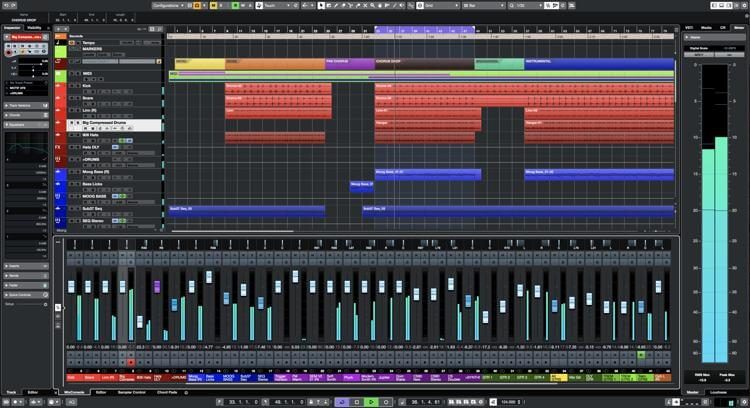
Cubase is one of the more popular DAWS and is one that I have grown familiar with. For the most part, it’s easy to use and it allows you to do everything that you would need to do. With this being said, there are MIDI keyboard controllers that work well with it and I want to breakdown some great options for you.
In this article, we are going to break down the best MIDI keyboard controllers for Cubase.
The best keyboard for Cubase is going to be something that has good functionality with the DAW as well as some pads, keys, knobs, and preferably aftertouch.
If you’re using Cubase as your main DAW, here’s a quick look at a few controllers I urge you to check out.
This was updated in January of 2026 to add and remove products.
Comparison Table For Cubase Controllers
| IMAGE | PRODUCT | DETAILS | |
|---|---|---|---|
Editor’s Pick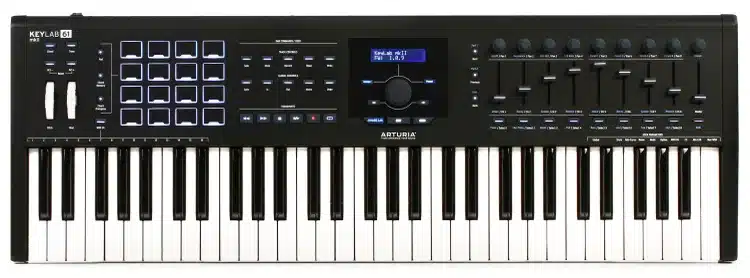 |
Arturia Keylab MK II |
|
|
Budget Pick |
Akai MPK Mini MK3 |
|
|
Pad Controller Pick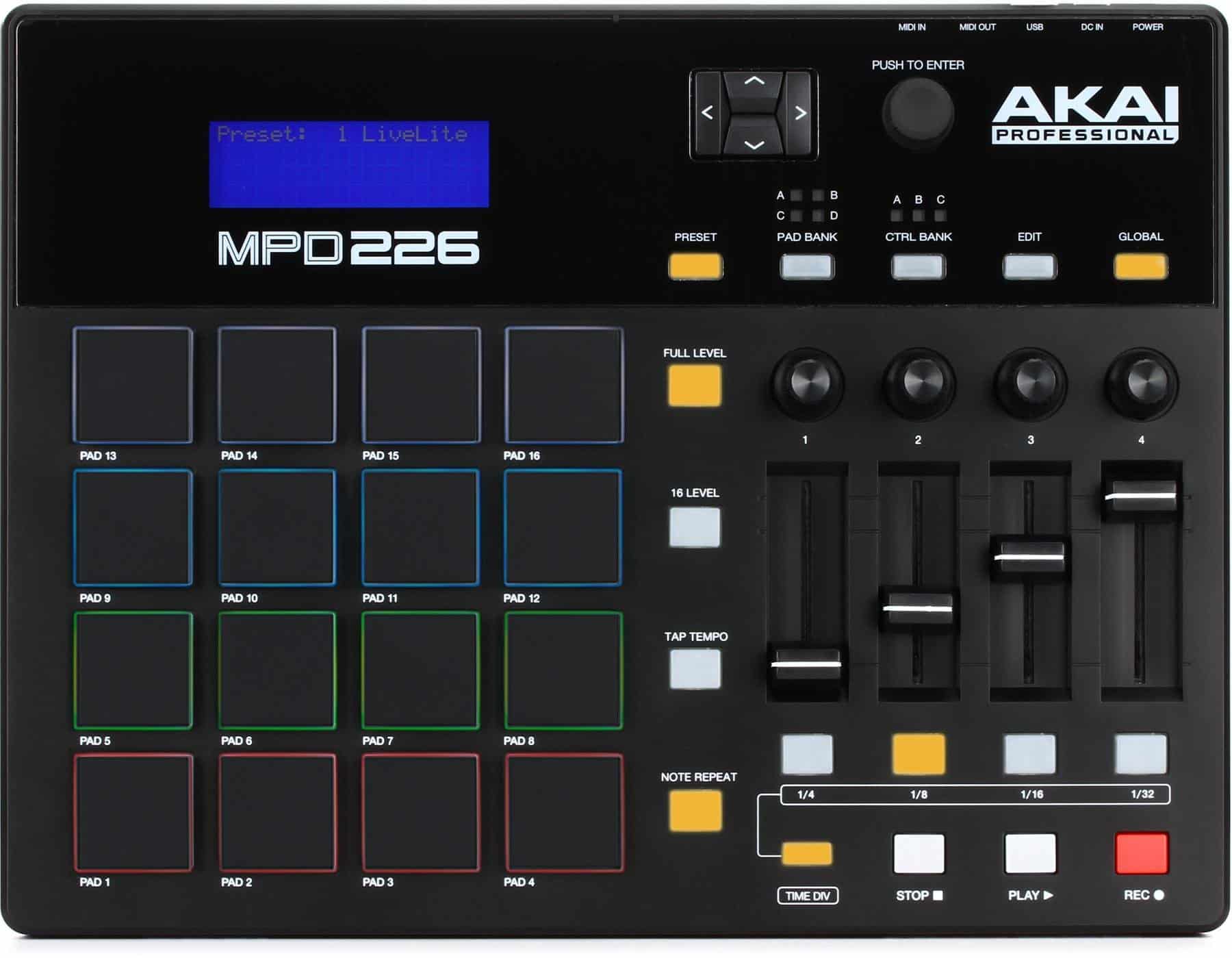 |
Akai MPD218 |
|
Why Use MIDI Controllers With Cubase
Using controllers with Cubase or any DAW for that matter can greatly benefit your writing and experience. After writing in the MIDI over and over, you may get sick of it and want to look for other ways to write. This is the beauty of a controller.
Controllers give you the freedom to experiment outside of the box and dive into features for each controller.
You will find that most controllers have something different to offer, whether it be pads, faders, keys, sequencers or arpeggiators.
What To Look For
Functionality: Some controllers have poor functionality and aren’t properly mapped for all DAWS. While this is getting better, if you get a no-name brand one, you could find yourself getting frustrated and confused.
Pads: If you plan on doing beats or triggering samples from your keyboard, you will want to have pads. I personally have my synth changes mapped to my pads on my keyboard. While this is more advanced, you can easily figure it out if you invest the time.
Keys: How do the keys feel? With controllers, don’t expect the best keys. If the keys are that big of a deal for you, I would recommend going the digital piano or workstation route and then just running them as MIDI controllers. I do this with my Roland FA 08 and I love it for the key-bed.
Software: If you’re using Cubase or any major DAW, you may want to get a controller that comes with additional VSTS. I personally always try and get as many VSTS as I can get.
Best Cubase MIDI Controllers
Below are the current best MIDI keyboards for Cubase. There are some inexpensive picks as well as some choices that are a little more pricey. We’ve listed our favorites and it’s up to you decide based on your budget.
Novation Mini MK4 Launchkey
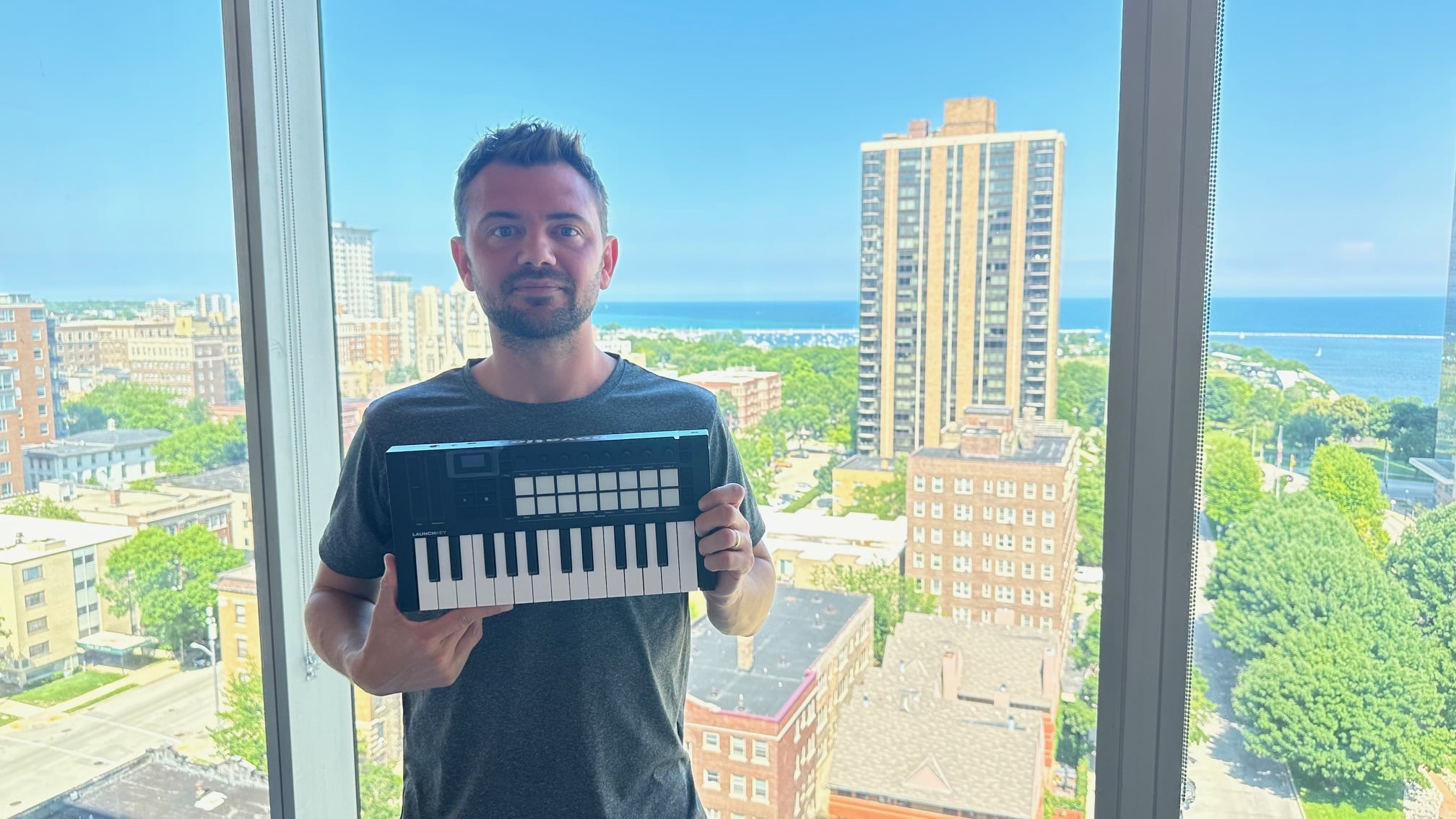
The Novation Launchkey MK4 improves from the legendary Launchkey series and has given us what I think is the best mini option on the market today.
Pros
- Compact and portable.
- Excellent Cubase integration with minimal setup.
- Scale and chord modes are very beginner friendly.
- MIDI out for controlling external hardware.
- Solid bundled software.
Cons
- Mini keys are not ideal for piano-focused players.
- Limited key range for two-handed parts.
- Pads are good, not elite.
The Novation Launchkey Mini MK4 is one of the easiest MIDI keyboards I recommend for Cubase beginners, largely because it fits naturally into a real Cubase workflow. I use this controller daily, and it never feels like it is getting in the way or forcing me to adapt how I work.
Cubase recognizes the Launchkey quickly, and basic transport and instrument control feel intuitive almost immediately. The encoders are especially useful for tweaking synth parameters and VST instruments without constantly reaching for the mouse. Novation’s editor also makes it easy to fine-tune mappings if you want more control later on.
One of the biggest advantages for beginners using Cubase is the scale and chord functionality. You can lock the keyboard to a specific scale and focus on creating ideas instead of worrying about hitting wrong notes. This makes songwriting and beat creation much less intimidating if you are still learning music theory.
Another underrated feature is the inclusion of a real MIDI out port. This allows you to control hardware synths directly through Cubase without needing extra gear. That adds longevity to the controller and makes it useful even as your setup grows.
This is still a mini controller, and that matters. The keys are smaller, and the limited range means it is not meant for traditional piano practice. But if your focus is production, MIDI programming, and building ideas inside Cubase, the size is actually a benefit.
What I Like
I like how naturally this controller fits into Cubase without a lot of setup or frustration. The encoders feel responsive, the pads are usable for drums and clips, and the scale and chord modes remove a lot of friction when writing. The MIDI out is something I use more than I expected, and it gives this controller more staying power than most mini keyboards.
What I Don’t Like
The mini keys are not something I would recommend to a pianist who wants to work on technique. The limited key count can also feel restrictive if you want to play larger chord voicings or two-handed parts. The pads are improved over older versions, but they are not on the same level as dedicated pad controllers.
Verdict
For Cubase beginners, the Launchkey Mini MK4 is a smart and practical choice. It is easy to use, integrates well, and helps you focus on creating instead of troubleshooting. If portability and workflow matter more than full-size keys, this is one of the best starting points you can choose.
Arturia Keylab MKII 61 – Best Overall Keyboard Option
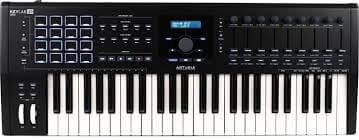
The Arturia Keylab MKII is one of the most durable controllers on the market. This controller is packed with features and is compatible out of the box with every major DAW.
The Keylab MKII 61 is a rather new controller by Arturia and a good one at that. It comes with 5 control inputs and 16 RGB backlit pads. The pad functionality is some of my favorite with this controller as you will find they’re not too stiff.
You will notice the sleek design with the Keylab MKII and one thing that I need to mention is that keys feel really nice for a MIDI controller.
There is included software and the durability with this controller is top-notch. Arturia typically makes keyboards like tanks. I always make that joke, but it’s no lie. The first time I recorded with one I was blown away by how durable it was. Some controllers feel extremely cheap, and this is not the case.
Overall
This is the best MIDI controller for Cubase. It’s a brand new controller that has aftertouch and it also is extremely durable. You will also find this keyboard in our roundup on the best 61 key MIDI controllers.
Akai MPD226 – Best Budget MIDI Controller
The MPD 226 is fully compatible with all major DAWs and is great for those looking to make beats quickly.
The Akai MPD226 is the premier budget controller for Cubase. This is easy to use, it’s cheap, and the pads feel really nice.
The functionality is great with all major DAWS including Cubase. If you’ve had troubles with mapping your controllers, this is a perfect pick as it will be pre-mapped.
This is a great controller keyboard for beginners, that is definitely worth checking out.
Overall
The Akai MPD226 is the best current controller for budget choices. It’s a pad controller than doesn’t have keys but allows you to lay down drum beats and trigger samples.
Native Instruments Maschine 3 – Best Overall Pad Controller
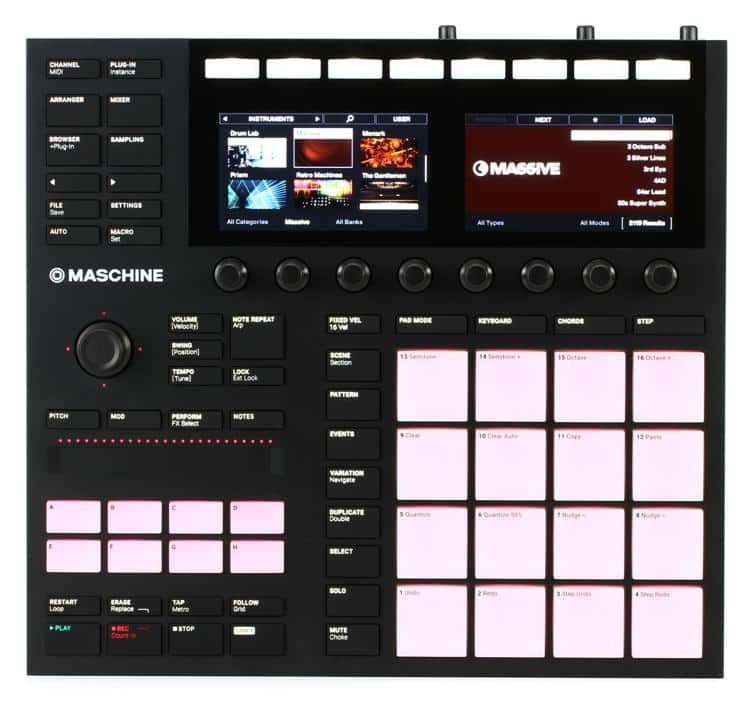
The Native Instruments Maschine MK3 is a solid look at a drum controller for Ableton. While it's not built specifically for Ableton, it's a great all-around option.
Native Instruments Maschine 3 is a high-end pad controller that is arguably the best available. This works with all major DAWS and it comes with additional software as well.
The pads are top-notch and some of the better feeling pads that you can get on a controller. I really enjoy the interface of the Maschine 3 as it is all laid out in a simple and easy to use way.
Overall
If you can afford it, the Maschine 3 should be your choice for hip hop production.
This controller has nice pads, great functionality, and unlimited ability.
Conclusion
These are currently the best MIDI keyboards for Cubase available. All of these options are great, depending on exactly what you’re needing to do.
Decide what type of production you’re looking to do and then make your decision based on that. If you have any questions, leave them in the comments below!


 Chris Senner

10 comments
What are your thoughts on the launchkey Mk 2 or Mk 3?
Hi tony, solid controllers. I would go for the MK 3!
And what about Komplete Kontrol A? It should also be compatible with Cubase.
Thanks for the feedback! The Kontrol A is a wonderful choice and I will look into adding it on the list!
Hi Chris,
I’m a MIDI Noop. I bought an Arturia KeyLab MK2 61, but I’m not able to configure it right to work proper with Cubase 10 Pro as you mentioned. Do you have a discription for a one like me. In my opinion it is really a well builded midi controller keyboard, but unfortunately I can’t do anything without adjustment.
kind regards
Frank
I’m surprised you didn’t mention the Yamaha MX49 or one of the Nektars. The MX49 is a great instrument and as a Cubase MIDI controller even includes the AI knob that the Steinberg CC121 has. Of course, Steinberg being owned by Yamaha is bound to be a great advantage over most others. I did buy an Akai MPK mini but sent it back. The integration with Windows came out, I thought, poorly.
Hi George, I will be reviewing the MX49 shortly and adding it to the list!
Thanks!
hello can i ask something too
Is alesis v25 compatible with the cubase program?
I heard the pad controller might be a problem, but I’m not sure…
I add to Frank, the Arturia mk ii 64 does not at all work with Nuendo or Cubase 10 and later. You can either use it as a keyboard or install a Mackie Controller, which renders keyboard and wheels useless but lets you use transport functionality. Sadly, Arturia still seems to think it works and always just replies that it is setup incorrectly.
As a longtime Cubase and Arturia user, I will disagree with your conclusions. With 4 or 5 octaves, a large self positioning slider indicating the current value of the selected Cubase VST parameter, 8 plus one additional sliders, 16 encoders, transport controls, which double as function keys, 9 buttons which can also be Cubase shortcuts, a color LCD with five buttons and a large encoder to navigate the screen which is used to label the parameters of the encoders, sliders and buttons with special optimization for Cubase (also for Reason, Studio One, Logic), vst customization , mixer and inter customization, the Nektar Panorama series is the de facto best midi controller surface for Cubase.